 Atlas
Atlas Feature
Warranty tracking, pest by pest and unit by unit
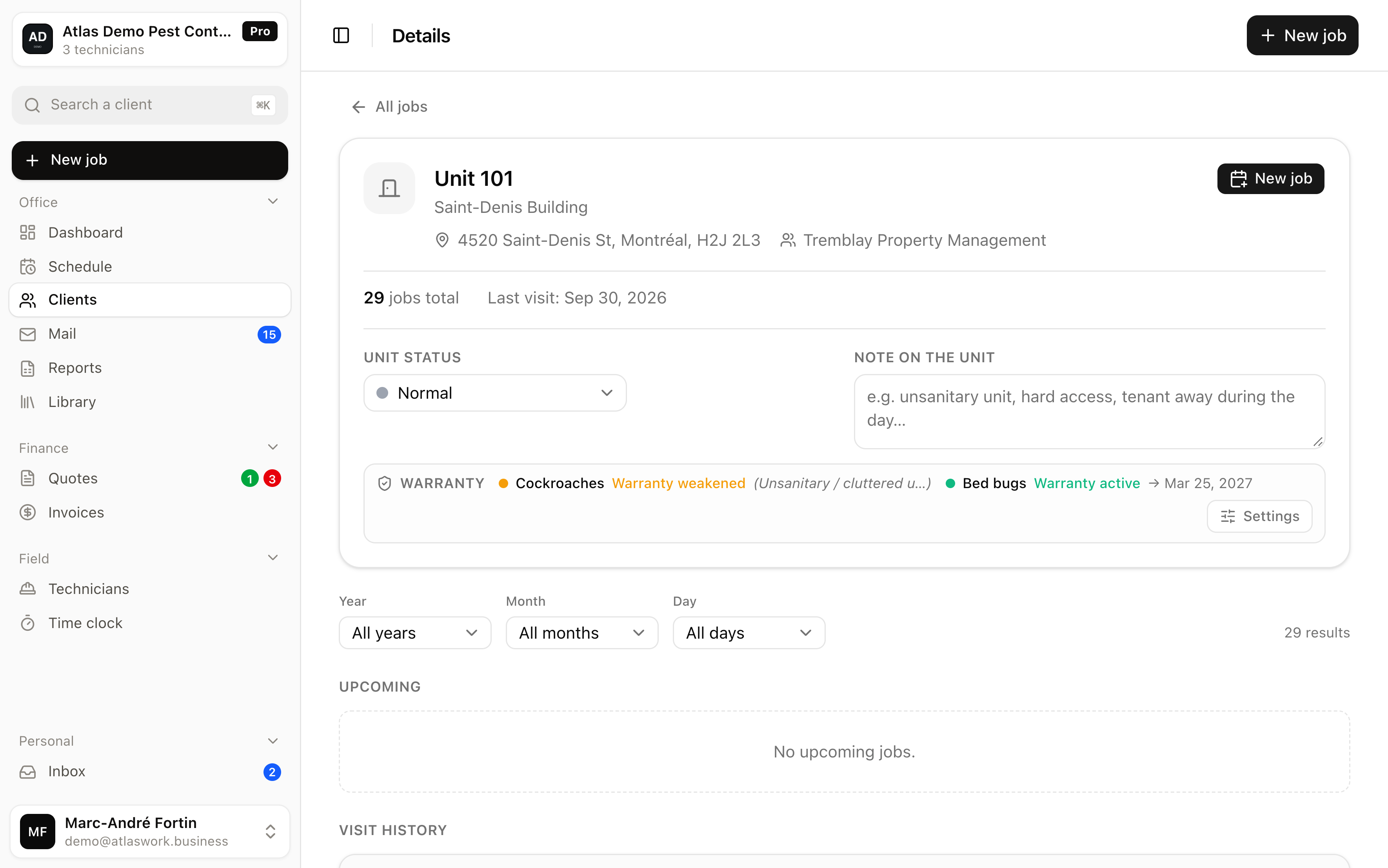
Atlas calculates each warranty from the latest visit for that pest in that unit, tracks it per pest, and lets you pause it without losing it.
In short
In pest control, a warranty is the commitment to come back at no charge if the pest reappears at the customer's place within a set period.
- Unit of calculation
- One pest, in one specific unit
- Start date
- The date of the latest visit for that pest in that unit, each new treatment restarts the warranty
- Duration
- A number of months, set by your company rule
- Exceptions
- A customer-specific rule overrides the company rule, pest by pest
- States
- Awaiting first visit, active, weakened, paused, canceled, expired
Atlas calculates that warranty from the latest visit for the pest concerned in the unit concerned, tracks it pest by pest, and lets you pause it without losing it. Atlas sends no expiry alert and produces no warranty document.
How does a warranty start, and when does it end?
On its own, at the first visit, then it re-anchors on the most recent one. Every new treatment for the same pest restarts it from its own date, and there is no date to enter by hand.
It starts on its own, at the first visit. You do not enter a start date by hand, which avoids the most common mistake: the warranty nobody remembered to open, which therefore exists nowhere on the day the customer calls back. Atlas takes the date of the latest visit for that pest in that unit, adds the number of months set by your rule, and gets the end date.
A second treatment for the same pest in the same unit therefore restarts the full coverage from its own date. Until a first visit happens the warranty stays awaiting that visit, which is logical since nothing has been treated. Nothing is stored twice, everything is recalculated from the real visits, so the information cannot drift out of sync.
Why a warranty per pest and per unit rather than per customer?
Because the same address can have one treatment still covered and another expired. The right question is whether this pest, in this unit, is still covered.
Because it is the only scale that matches reality. The same address can have a rodent treatment still covered and a bed bug treatment that is not, simply because the two did not start on the same day. And in a building, the second-floor unit treated in January has nothing to do with the fifth-floor one treated in June.
When the call comes in, the useful question is therefore not "is this customer under warranty", it is "is this pest, in this unit, still covered". That is the only question with a usable answer, and it is the one Atlas answers.
What do you do when a warranty should not run for a while?
You pause it instead of deleting it. It resumes automatically at the next visit for the same pest.
You suspend it instead of deleting it. A cluttered unit the tenant refuses to prepare, access blocked during renovation work, a situation preventing the treatment from holding: these are cases where continuing to guarantee makes no sense. Atlas therefore offers several states, on top of awaiting the first visit, active and expired.
- Weakened
- the warranty still runs, but you record that the unit's conditions are undermining it.
- Paused
- it is frozen, and it resumes automatically at the next visit for the same pest. You do not have to remember to reactivate it.
- Canceled
- it no longer runs at all, with the justification you write down.
One important detail: the state of the unit itself, watch-listed or problematic, does not influence the warranty. It is a note for your crew, not a commercial decision taken automatically on your behalf.
How do you handle a customer who negotiated a different warranty?
You set a default company rule, and a customer exception overrides it pest by pest. The other pests keep your default.
You set a default company rule, for example six months on rodents and three months on insects, and it applies everywhere. For a customer who negotiated otherwise you add an exception, and Atlas merges the two rules pest by pest.
In practice, if that customer obtained twelve months on bed bugs, that value applies for that pest while all the others keep your default. You therefore never recopy your full terms for each individual contract, and a change to your general rule propagates on its own wherever no exception was set.
What Atlas does not do
- No automatic alert when a warranty nears its end
- No warranty document or certificate to hand to the customer
- No link between a warranty and an invoice, a return under warranty is not priced on its own
Frequently asked questions
On the date of the latest visit for the pest concerned in the unit concerned. Until a first visit happens the warranty stays awaiting that visit and is not yet active. Every new treatment for the same pest restarts it for its full duration from its own date, and there is no date to enter by hand.
Yes, one per pest. A rodent treatment can still be covered while an insect treatment has expired, since the two started on different dates.
Yes. It can be paused, and it resumes automatically at the next visit for the same pest. You can also mark it as weakened, or cancel it with a written reason.
No. There is no automatic expiry alert. The state of each warranty can be checked at any time, but the decision to reach back out to a customer stays on your side.
Set your warranty rule once and for all
Define your durations per pest, add a customer exception, and let Atlas calculate the rest. No commitment.